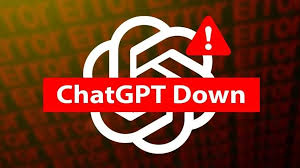
ChatGpt Outage : On June 10, 2025, ChatGPT, one of the most widely used AI chatbots, faced a significant global outage that left users across North America, Europe, India, and Australia unable to access the service. Starting around 2:36 AM ET, reports flooded in about network errors, unresponsive chats, and error messages, impacting both free and ChatGPT Plus users. This disruption also affected OpenAI’s Sora and GPT API services, highlighting the interconnected nature of their infrastructure.
ChatGpt Outage
What Caused the ChatGptOutage?
According to OpenAI’s official status page, the issue stemmed from elevated error rates and latency, with the root cause identified but not publicly detailed. By 7:51 PM IST, OpenAI was still working on a fix, with no clear timeline for full restoration. DownDetector reported a peak of over 1,000 user complaints around 5:30 AM ET, with India alone logging over 800 reports by 3 PM IST. The widespread downtime raised concerns about the reliability of AI-driven services, especially for businesses and developers relying on the GPT API.
User Reactions and Impact
The outage sparked a wave of reactions on platforms like X, where users expressed frustration, some humorously noting their dependence on AI for daily tasks. Others speculated about potential updates or server overloads. For ChatGPT Plus subscribers, the disruption was particularly inconvenient, as premium services promise higher reliability and uptime. Developers using the GPT API reported stalled projects, while Sora users faced delays in generating AI-driven content.
ChatGpt Outage
This incident underscores the growing reliance on AI tools and the ripple effects when technology fails. Businesses, students, and casual users alike were reminded of the importance of backup systems and diversified workflows.
OpenAI’s team is actively addressing the issue, and while no official ETA has been shared, past outages suggest a resolution within hours to a day. Users are advised to avoid repeatedly refreshing sessions to prevent triggering security verifications, which could further delay access. For real-time updates, check OpenAI’s status page or platforms like X for user-driven insights.
If you’re a fan of Studio Ghibli’s enchanting art style—think dreamy landscapes, whimsical characters, and soft, hand-painted textures—you’re in for a treat! Thanks to advancements in AI technology, you can now generate your own Ghibli-inspired artwork without spending a dime or needing any artistic skills.
Whether you want to transform a photo into a scene straight out of Spirited Away or create a new character that looks like it belongs in My Neighbor Totoro, there are plenty of free AI tools to help you bring your imagination to life. In this blog, I’ll walk you through some of the best free AI tools to generate Studio Ghibli-style art, along with tips to get the most out of them. Let’s dive into the magic!
Why Studio Ghibli Style?
Studio Ghibli, the legendary Japanese animation studio founded by Hayao Miyazaki and Isao Takahata in 1985, is known for its breathtaking visuals and heartfelt storytelling. Films like Howl’s Moving Castle, Princess Mononoke, and The Boy and the Heron have captivated audiences with their lush, hand-drawn landscapes, vibrant colors, and expressive characters. The Ghibli style often features soft lighting, pastel palettes, and a seamless blend of the ordinary and the fantastical—perfect for creating nostalgic, magical art. With AI tools, you can now capture that same aesthetic, whether you’re reimagining a selfie, designing a wallpaper, or crafting a scene for your own story.
Best free AI tools for Ghibli-Style
Best free AI tools for Ghibli-Style Art
Here’s a roundup of some of the best free AI tools that can help you create Studio Ghibli-inspired artwork. These tools are user-friendly, don’t require a subscription, and can deliver stunning results with just a few clicks.
1. Deep Dream Generator
Best free AI tools for Ghibli-Style Art for Free : Deep Dream Generator is a fantastic free platform for creating Ghibli-style art. It offers a variety of artistic styles, including options that mimic the hand-painted, watercolor-like effects of Studio Ghibli films. You can either upload a photo to transform or use a text prompt to generate a new scene from scratch.
How to Use: Sign up for a free account, upload your image or enter a prompt like “a serene Ghibli-style forest with glowing fireflies at dusk,” and select a Ghibli-like filter. Once the image is generated, you can enhance it using their AI Upscaler for better quality.
Why It’s Great: It’s intuitive and perfect for beginners. Plus, you can share your creations with the community using the hashtag #ghibli.
Limitations: The free tier has a daily generation limit, but it’s generous enough for casual use.
2. Getimg.ai (Ghibli Diffusion)
Best free AI tools for Ghibli-Style Art for Free : Getimg.ai offers a free tier that lets you generate up to 100 images per month, making it a solid choice for Ghibli fans. It features a specialized model called Ghibli Diffusion, which is fine-tuned to replicate Studio Ghibli’s soft color palettes, intricate details, and magical vibe.
How to Use: Sign up for a free account, select the Ghibli Diffusion model, and input a text prompt like “a young witch flying over a colorful Ghibli-style town at sunset.” You can also upload a photo and apply the Ghibli style using their Image to Image feature.
Why It’s Great: The Ghibli Diffusion model is specifically designed for this style, so the results feel authentic. It’s also great for creating wallpapers or profile pictures.
Limitations: The free plan has a cap on generations, but 100 images a month is plenty to experiment with.
Best free AI tools for Ghibli-Style Art for Free
3. InsMind Ghibli Filter
Best free AI tools for Ghibli-Style Art for Free : InsMind provides a free online Ghibli filter that’s perfect for transforming photos into Ghibli-style art. It’s quick, doesn’t require a login, and works well for landscapes, portraits, and even illustrations.
How to Use: Visit the InsMind website, upload your photo, select the “Ghibli” filter, and click “Generate.” In seconds, your image will be transformed with soft tones and a whimsical, storybook-like quality.
Why It’s Great: It’s incredibly fast and easy to use, with no account needed. The results are high-quality and perfect for social media content.
Limitations: The free version may have some restrictions on resolution or the number of transformations, but it’s still a great starting point.
4. Craiyon
Best free AI tools for Ghibli-Style Art for Free : Craiyon is a simple, browser-based AI tool that can generate Ghibli-inspired images using text prompts. While it’s not as advanced as some other tools, it’s completely free and doesn’t require a login.
How to Use: Go to the Craiyon website, enter a prompt like “a Ghibli-style girl with flowing hair under a cherry blossom tree,” and hit generate. You’ll get multiple variations to choose from.
Why It’s Great: It’s fast and accessible, making it ideal for quick experiments. The results have a whimsical, hand-drawn feel that aligns with Ghibli’s aesthetic.
Limitations: The output quality isn’t as high as premium tools, and the images can sometimes lack fine details.
5. Bylo.ai Ghibli AI
Best free AI tools for Ghibli-Style Art for Free : Bylo.ai offers a free Ghibli AI generator that lets you transform photos into Studio Ghibli-style artwork without any account or payment. It’s designed to capture the soft, painterly tones of Ghibli films like My Neighbor Totoro.
How to Use: Visit Bylo.ai, upload your photo, and let the AI apply the Ghibli filter. You can also use text prompts to create new scenes, such as “a peaceful Ghibli-style village at sunset.”
Why It’s Great: It’s completely free with no limits on usage, and the transformations have a nostalgic, hand-drawn quality that Ghibli fans will love.
Limitations: The tool focuses more on photo transformations than custom scene creation, so it’s best for stylizing existing images.
Best free AI tools for Ghibli-Style Art for Free
Tips for Getting the Best Ghibli-Style Results
To make your AI-generated Ghibli art truly shine, keep these tips in mind:
Be Specific with Prompts: The more detailed your prompt, the better the result. For example, instead of “a Ghibli-style scene,” try “a Ghibli-style meadow with a small wooden bridge, glowing fireflies, and a warm sunset with soft watercolor textures.”
Focus on Key Elements: Ghibli art often features lush greenery, dreamy lighting, and expressive characters. Include these in your prompts to capture the essence of the style.
Experiment with Photos: If you’re transforming a photo, choose one with clear lighting and simple backgrounds for the best results. Portraits, landscapes, and pet photos work particularly well.
Refine with Post-Processing: If the AI output isn’t perfect, you can use free tools like Krita or GIMP to add hand-painted textures or adjust colors for a more authentic Ghibli look.
Ethical Considerations: A Note on AI and Art
While AI tools make it easy to create Ghibli-style art, it’s worth noting that not everyone in the art community is on board with this trend. Hayao Miyazaki, Studio Ghibli’s co-founder, has famously criticized AI in animation, calling it “an insult to life itself” in a 2016 interview. He’s known for his dedication to hand-drawn animation, with some scenes in Ghibli films taking years to complete.
Using AI to replicate this style can feel like a shortcut that overlooks the labor and passion of traditional artists. If you share your AI-generated art, consider giving a nod to the inspiration behind it and supporting Studio Ghibli by watching their films or buying official merchandise.
Best free AI tools for Ghibli-Style : Creating Studio Ghibli-style art has never been easier, thanks to these free AI tools. Whether you’re using Deep Dream Generator to craft a magical forest, Getimg.ai to design a new character, or InsMind to transform a selfie, you can bring the whimsical charm of Ghibli into your own creations. These tools are perfect for fans, hobbyists, and creators looking to add a touch of magic to their projects—whether it’s a profile picture, a wallpaper, or concept art for your own story. So, what are you waiting for? Dive into the world of Studio Ghibli and let your imagination soar with these free AI generators. Share your creations with the world, and who knows—maybe you’ll inspire the next generation of Ghibli fans!
ChatGPT, developed by OpenAI, has been at the forefront of artificial intelligence advancements, continually evolving to enhance user experience and expand its capabilities. Recent developments have significantly impacted how users interact with this AI tool, making it more accessible and versatile.
ChatGPT’s Search Functionality Now Accessible Without Sign-In
In a move to broaden accessibility, OpenAI announced that users can now utilize ChatGPT’s search engine without the need to log in. This feature allows ChatGPT to provide responses based on real-time web information, displaying the sources used to gather the data. Initially launched for paid subscribers in October, it became available to the general public in December. By removing the account requirement, ChatGPT’s search functionality positions itself as a competitor to traditional search engines like Google and Bing. The updated interface includes features such as maps and images of local attractions, along with brief descriptions, enhancing the overall user experience.
Integration with WhatsApp: Voice Notes and Multimedia Support
ChatGPT has expanded its integration with WhatsApp, allowing users to send voice notes, images, and memes to the chatbot and receive appropriate responses. This enhancement facilitates interaction without the need to type messages. Users can send voice notes by pressing the corresponding button in WhatsApp, and ChatGPT will respond to each note in the order received. Similarly, users can share memes and images as they would with any other contact on WhatsApp. These new capabilities make ChatGPT more versatile and user-friendly within the WhatsApp platform.
ChatGPT Plus: Advanced Features for Subscribers
For users seeking advanced functionalities, ChatGPT Plus offers a subscription service that provides access to the latest OpenAI GPT models and additional features. Subscribers benefit from more monthly messages, early access to new AI models like GPT-4o, and capabilities such as multi-modality features, DALL-E 3 image generation, data analysis, and web browsing. Plus subscribers can also share trial access with friends and family. While the free version remains powerful for casual users, the Plus subscription caters to those requiring more advanced tools and early access to new developments.
Enterprise Adoption: BBVA’s Implementation of ChatGPT
In the enterprise sector, Spanish bank BBVA has implemented ChatGPT Enterprise licenses to enhance productivity across various functions, including legal, risk, marketing, talent, and finance. Employees have created over 2,900 GPTs for tasks such as translating risk-specific phrases and drafting responses to client inquiries. Initial reports indicate productivity increases, with 80% of users saving more than two hours of work per week. However, challenges remain in scaling and integrating the tool with complex internal systems. BBVA plans to expand its user base and licenses, aiming for more tangible returns in 2025.
Legal Challenges: Canadian News Publishers Sue OpenAI
OpenAI faces legal challenges as a coalition of Canadian news publishers, including The Canadian Press, Torstar, Globe and Mail, Postmedia, and CBC/Radio-Canada, filed a lawsuit against the company. The publishers accuse OpenAI of copyright infringement, alleging that it used their news content without permission or compensation to train its ChatGPT system. They argue that this practice undermines their investments in journalism and violates copyright laws. OpenAI contends that its models are trained on publicly available data and adhere to fair use principles. This case is the first of its kind in Canada, though similar lawsuits are underway in the United States.
Advancements in Voice Interaction
OpenAI has enhanced ChatGPT’s voice interaction capabilities by introducing an advanced voice mode. This functionality allows the chatbot to respond to audio inputs in approximately 232 milliseconds, mimicking human conversational speed. Initially launched for users in the United States, the feature has been expanded globally and is now available in the web version for subscribers of various plans. OpenAI plans to extend this feature to free users in the coming weeks. Additional improvements include new customizable voices and support for various languages and accents, aiming to provide more natural and fluid interactions.
ChatGPT’s Role in Search Engine Competition
OpenAI has launched a ChatGPT-powered search engine, positioning itself in direct competition with search giants like Google. The new search feature allows ChatGPT to access real-time web information, providing users with up-to-date responses and citing sources. This development signifies a shift in how users may seek information online, with AI-driven chatbots offering an alternative to traditional search methods.
Ethical and Safety Considerations
The integration of AI tools like ChatGPT into various platforms has raised ethical and safety considerations. For instance, the Victorian Department of Families, Fairness and Housing in Australia prohibited its staff from using generative AI services after a child protection worker used ChatGPT to draft a report containing personal information. This incident highlights the importance of establishing guidelines and safeguards when implementing AI technologies in sensitive areas.
In summary, ChatGPT continues to evolve, offering enhanced features and integrations that improve accessibility and functionality for users across different platforms. As it expands its capabilities, considerations around ethical use, legal implications, and integration challenges remain critical to its development and adoption.