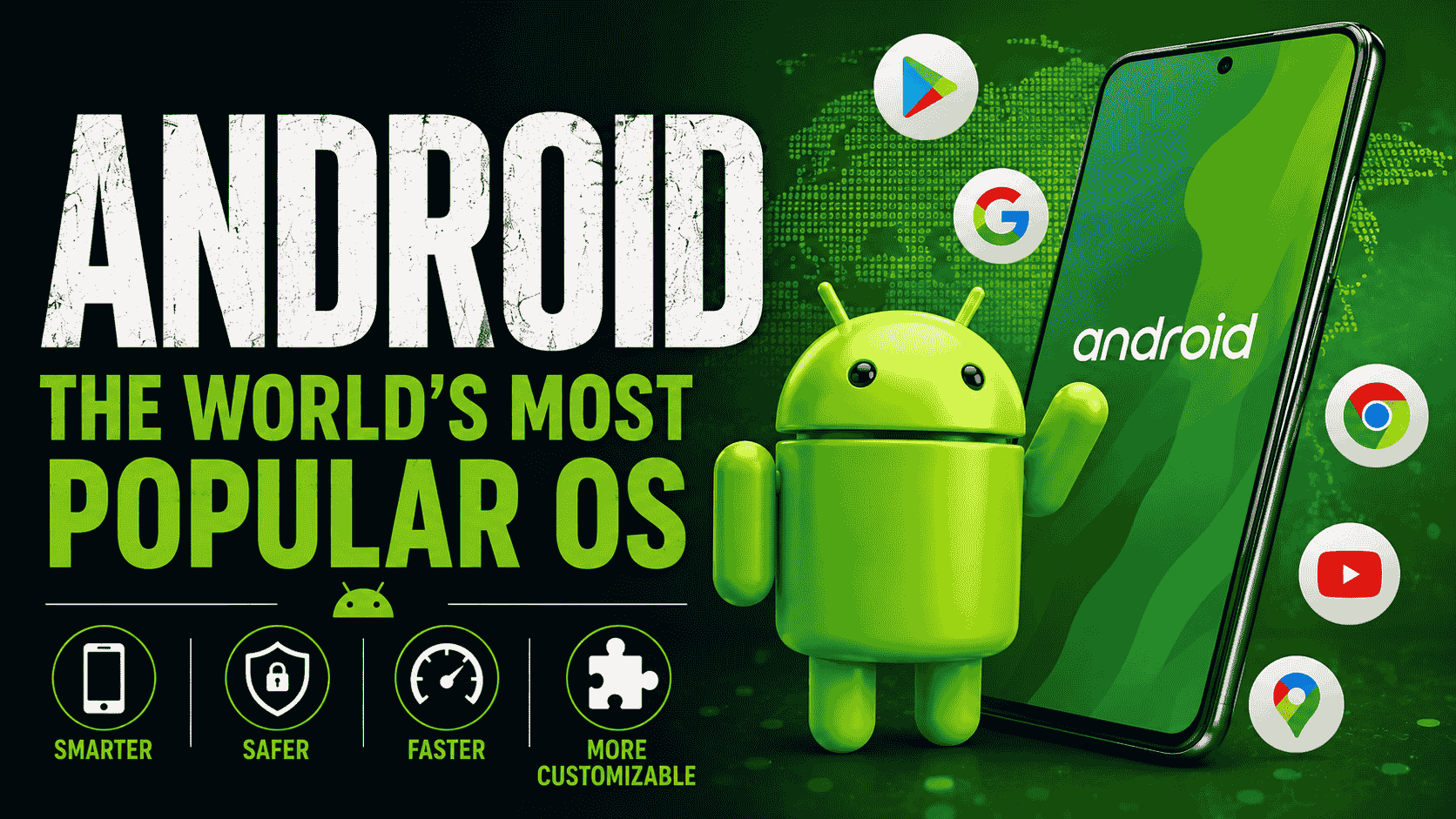
Google officially released Android 17 on June 16, 2026, beginning with Pixel devices. This update emphasizes improved multitasking, privacy, security, and the foundation for deeper AI experiences.
Release Details
Rollout start: June 16, 2026, along with the June 2026 Pixel Feature Drop.
Supported devices: Pixel 6 series and newer (including Pixel 6a, 7, 8, 9, 10, Fold, and Tablet models).
Security: Comes with the full June 2026 security patch.
Other manufacturers: Samsung, Xiaomi, OnePlus, and others will release their customized versions (One UI 9, etc.) over the coming months.
How to Update Android 17
Key New Features in Android 17
App Bubbles for Better Multitasking
App Bubbles let supported apps float as movable windows. This makes multitasking smoother, especially on foldables, tablets, and large-screen phones. You can keep multiple apps active at once without switching between them.
Screen Reactions & Media Tools
Record your screen and front camera together with Screen Reactions — ideal for tutorials, reactions, and content creation.
Major improvements to screen recording with better controls and quality.
New RAW14 support for professional photography and enhanced camera capabilities.
Stronger Privacy & Security
Redesigned privacy indicators and clearer permission prompts.
New Android Contact Picker that lets apps access contacts with limited permissions.
Improved threat detection, better lost device protections, and stricter location controls.
Memory management enhancements for greater stability.
Productivity & Interface Improvements
Enhanced split-screen and foldable optimizations.
Per-app dark theme settings.
Redesigned volume panel and more compact Settings layout.
Independent volume control for the Assistant.
“Continue On” feature for seamless handoff between devices.
AI Foundations
Android 17 prepares the ground for advanced Gemini features, including better on-device intelligence. Additional AI capabilities like music generation are expected to arrive gradually throughout 2026.
How to Update
Pixel users: Go to Settings > System > System Update to download and install now.
Other devices: Check for updates in the coming weeks and months through your manufacturer’s settings.
Android 17 is a refined and practical update. It doesn’t overhaul the entire look of Android, but it delivers meaningful improvements in everyday multitasking, privacy, and content creation tools. It feels stable, polished, and ready for both casual users and power users.
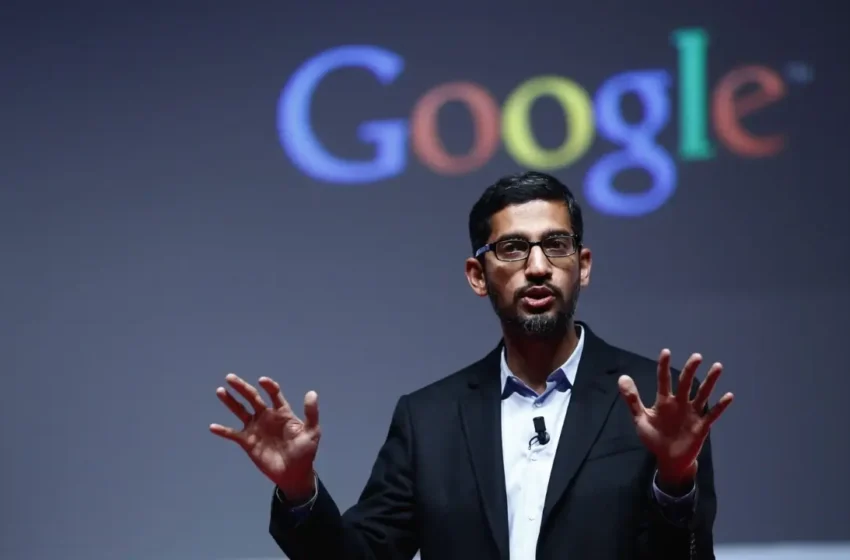
Sundar Pichai, born Pichai Sundararajan on June 10, 1972, in Madurai, Tamil Nadu, India, grew up in a modest Tamil Hindu family in Chennai. His father, Regunatha Pichai, worked as an electrical engineer at General Electric Company (GEC), while his mother, Lakshmi, was a stenographer before focusing on homemaking. Sundar, along with his younger brother Srinivasan, lived in a simple two-room apartment, where the brothers slept in the living room. Despite their modest circumstances, the Pichai family prioritized education, which profoundly shaped Sundar’s future. His early fascination with technology, sparked by a rotary telephone acquired when he was 12, hinted at his future career path. Sundar’s remarkable memory, particularly for recalling phone numbers, was evident even in his childhood.
Sundar Pichai married to Anjali Pichai
Sundar Pichai is married to Anjali Pichai (née Haryani), a chemical engineer he met while studying at IIT Kharagpur. The couple has two children, Kavya and Kiran, and they maintain a strong family bond. Despite his demanding role, Sundar prioritizes family time, with breakfast and dinner serving as cherished rituals for connecting with his wife and children. Their home, a luxurious $40 million mansion in Los Altos Hills, California, spans 31.17 acres and features an infinity pool, spa, and wine cellar, reflecting his success.
Education and Early Career
Sundar’s academic journey is a testament to his dedication and intellect. He completed his schooling at Jawahar Vidyalaya Senior Secondary School in Chennai and Class XII at Vana Vani School, located at IIT Madras, where he secured 75% in his senior secondary exams. He pursued a B.Tech in Metallurgical Engineering at the Indian Institute of Technology (IIT) Kharagpur, earning a scholarship to study at Stanford University. At Stanford, he completed an M.S. in Materials Science and Engineering. Later, he earned an MBA from the Wharton School of the University of Pennsylvania, where he was recognized as a Siebel Scholar and a Palmer Scholar.
Before joining Google, Sundar worked as an engineer and product manager at Applied Materials in Silicon Valley and briefly as a management consultant at McKinsey & Company. These roles honed his technical and leadership skills, setting the stage for his transformative career at Google.
Rise at Google and Leadership
Sundar Pichai joined Google in 2004, initially leading product management and innovation for client software products like Google Chrome, Chromeo’s, and Google Drive. His vision for a Google-owned browser led to the 2008 launch of Chrome, which now holds a 64% market share globally. He also contributed significantly to the development of Gmail, Google Maps, and Android. His strategic insight and ability to convince Google co-founders Larry Page and Sergey Brin earned him recognition, culminating in his appointment as Google’s Product Chief in 2014. On August 10, 2015, Sundar became Google’s CEO, and on December 3, 2019, he also took on the role of CEO of Alphabet Inc., Google’s parent company.
Sundar Pichai
Under his leadership, Google has expanded its influence in cloud computing, AI, and hardware, despite facing controversies like the 2018 scrutiny over privacy practices and a censored search app for China. Sundar’s ability to navigate complex challenges while maintaining Google’s innovation-driven culture has solidified his reputation as a visionary leader. He has been named to Time’s 100 Most Influential People list in 2016 and 2020 and received the Padma Bhushan from the Government of India in 2022 for his contributions to trade and industry.
Salary and Net Worth
As of 2025, Sundar Pichai’s net worth is estimated at $1.3 billion, placing him among the few non-founder tech CEOs to achieve billionaire status. His compensation as CEO of Alphabet Inc. and Google includes a base salary of approximately $2 million annually (around ₹16.4 crore). In 2019, his total compensation reached $280.6 million, largely due to stock awards tied to his promotion to Alphabet’s CEO, with reports suggesting a 2022 compensation of $226 million. His monthly earnings, including bonuses and stock grants, are estimated at $15–20 million, though this varies with Alphabet’s stock performance. Additionally, Alphabet allocated $8.27 million (₹69 crore) for his personal security in 2024, a 22% increase from the previous year.
Sundar’s wealth also stems from investments and stock awards, such as the 273,328 shares of Alphabet granted in 2016. His daily earnings are estimated at ₹6–7 crore, translating to roughly ₹74 lakh per hour, though these figures fluctuate with market conditions. Despite his wealth, Sundar Pichai remains grounded, with his father’s sacrifice—spending a year’s salary on a flight ticket for Sundar’s Stanford education—serving as a reminder of his humble roots.
Sundar Pichai net worth
Personal Interests and Lifestyle
Beyond his professional achievements, Sundar Pichai is a sports enthusiast, particularly passionate about cricket and football. A supporter of FC Barcelona, he met Lionel Messi in 2017 and received a customized jersey. He enjoys reading non-fiction and biographies, playing chess, sketching, and watching Bollywood movies. His ability to balance a high-profile career with personal interests and family life reflects his disciplined approach to life.
Sundar Pichai’s journey from a modest Chennai apartment to leading one of the world’s most influential tech companies is a story of perseverance, intellect, and vision. His educational achievements, strategic leadership at Google, and commitment to family and personal values have made him a global icon. With a net worth of $1.3 billion and a compensation package that reflects his pivotal role, Sundar continues to shape the future of technology while staying connected to his roots.
BitChat : In a world increasingly reliant on internet connectivity and centralized platforms, privacy and accessibility in communication are under constant scrutiny. Enter BitChat, a revolutionary decentralized messaging app launched in July 2025 by Jack Dorsey, co-founder of Twitter and CEO of Block. Designed to operate without internet, servers, or personal identifiers, BitChat leverages Bluetooth Low Energy (BLE) mesh networking to deliver secure, private, and censorship-resistant communication. This blog dives into what makes BitChat unique, its technical underpinnings, use cases, limitations, and why it’s generating buzz in the tech world.
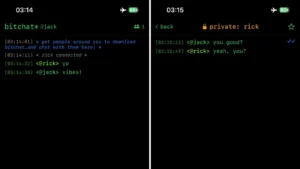
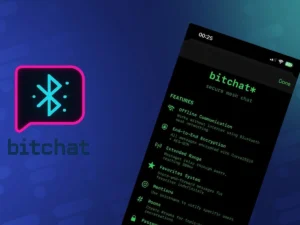
BitChat
What is BitChat?
BitChat is a peer-to-peer messaging application that allows users to communicate without relying on traditional internet infrastructure. Unlike mainstream apps like WhatsApp or Signal, which depend on centralized servers and internet access, BitChat uses a Bluetooth mesh network to relay messages directly between devices. This makes it ideal for scenarios where connectivity is limited or undesirable, such as during natural disasters, protests, or in remote areas.
Key Features
Offline Communication via Bluetooth Mesh:
BitChat operates over Bluetooth Low Energy (BLE), enabling devices to communicate within a 300-meter range.
Messages hop across nearby devices in a mesh network, extending the communication range without internet access.
No need for Wi-Fi, cellular data, or servers—perfect for off-grid scenarios.
End-to-End Encryption:
All messages are encrypted, ensuring only the sender and intended recipient can read them.
No data is stored on central servers, reducing risks of surveillance or data breaches.
No Personal Identifiers:
Users don’t need phone numbers, email addresses, or accounts to use BitChat.
Anonymity is enhanced through cryptographic keys, making it ideal for privacy-conscious users.
Store-and-Forward Messaging:
Messages are cached on intermediary devices for offline recipients.
Regular peers store messages for 12 hours, while “favorite” contacts store them indefinitely until delivery.
Group Chats and Channels:
Users can create public or private “rooms” using hashtags (e.g., #FestivalChat).
Rooms support password protection and ownership transfer for flexible group communication.
Open-Source and Transparent:
BitChat’s code and whitepaper are publicly available on GitHub (permissionless tech/bitchat and bitchat-android).
The open-source nature invites community scrutiny and contributions, ensuring trust and security.
Future Enhancements:
Planned support for Wi-Fi Direct to improve range and speed.
Ongoing development to refine user experience and expand platform compatibility.
BitChat operates over Bluetooth Low Energy (BLE)
How BitChat Works
BitChat’s core innovation lies in its use of Bluetooth Low Energy (BLE) mesh networking. Here’s a simplified breakdown of its functionality:
Device Discovery:
Devices running BitChat detect nearby peers via Bluetooth, forming an ad-hoc network.
No central server coordinates the network; devices self-organize to relay messages.
Message Routing:
Messages are sent to a specific recipient or group via cryptographic addressing.
If the recipient is out of range, intermediary devices forward the message until it reaches its destination.
Encryption and Security:
Messages are end-to-end encrypted using modern cryptographic protocols.
The absence of centralized storage ensures no third party, including BitChat’s developers, can access user data.
Store-and-Forward:
If a recipient is offline, nearby devices temporarily store the message.
This feature ensures reliable delivery even in dynamic environments like festivals or protests.
Why BitChat Matters
BitChat addresses critical gaps in modern communication systems. Here are some key use cases:
1. Disaster Response
During natural disasters like hurricanes or earthquakes, internet and cellular networks often fail. BitChat allows affected communities to coordinate relief efforts, share updates, or request help without relying on infrastructure.
2. Protests and Activism
In regions where governments monitor or shut down internet access during protests, BitChat provides a secure, censorship-resistant way to organize and communicate. Its anonymity features protect activists from surveillance.
During natural disasters like hurricanes or earthquakes, internet and cellular networks often fail.
3. Remote and Rural Areas
In areas with poor connectivity, such as rural regions or developing countries, BitChat enables communication without expensive infrastructure or data plans.
4. Festivals and Events
At crowded events like music festivals, where cell networks are often overloaded, BitChat lets attendees stay connected with friends or join event-specific group chats.
5. Privacy Advocacy
For users concerned about data privacy, BitChat’s decentralized, serverless design eliminates reliance on Big Tech platforms that may collect or monetize user data.
Current Status and Availability
As of July 12, 2025, BitChat is in its beta phase, generating significant excitement on platforms like X. Here’s where things stand:
iOS/macOS: Available via TestFlight, though it quickly hit its 10,000-user limit. Users can also build the app from source using Xcode.
Android: A beta APK is available on GitHub, with a full release in development.
App Store Review: BitChat is under review for broader App Store distribution, which could expand its reach.
Community Feedback: X posts highlight enthusiasm for BitChat’s potential, with some users speculating about future integrations like Bitcoin transactions (though not currently supported natively).
Limitations and Challenges
While BitChat is promising, it’s not without challenges:
Range Limitations:
Bluetooth’s 300-meter range restricts direct communication, though mesh networking mitigates this.
Dense environments with many users improve range, but sparse areas may limit connectivity.
Beta-Phase Bugs:
As a beta product, BitChat may have stability issues or unpolished features.
Private message and channel encryption lacks external security audits, though the open-source code invites community review.
Technical Setup:
Non-TestFlight users need technical know-how to build and install the app (e.g., via Xcode or APK).
This may limit accessibility for less tech-savvy users.
Scalability:
Mesh networks can strain device resources in very large groups.
Future Wi-Fi Direct support aims to address this, but it’s not yet implemented.
Non-TestFlight users need technical know-how to build and install the app
The Buzz on X and Beyond
BitChat has sparked lively discussions on X, with users praising its potential to disrupt centralized messaging apps. Some notable sentiments include:
“BitChat is a game-changer for protests and festivals. No internet, no problem!” (@TechNomad2025)
“Jack Dorsey’s vision for decentralized tech is coming to life with BitChat. Privacy first!” (@CryptoPioneerX)
Speculation about Bitcoin integration, though the whitepaper focuses solely on messaging for now.
The tech community is also excited about BitChat’s open-source nature, with developers contributing to its GitHub repositories and suggesting features like file sharing or voice messages.
What’s Next for BitChat?
BitChat’s roadmap includes several exciting developments:
Wi-Fi Direct Support: To enhance range and speed, making BitChat viable for larger networks.
Cross-Platform Expansion: Full Android and iOS releases to reach a broader audience.
Security Audits: External reviews to validate encryption and privacy claims.
Community Features: Enhanced group chat functionality and potential integrations for niche use cases.
Why You Should Care
BitChat represents a bold step toward a future where communication is truly decentralized, private, and resilient. Whether you’re an activist, a festival-goer, or simply someone who values privacy, BitChat offers a compelling alternative to traditional messaging apps. Its open-source ethos and innovative use of Bluetooth mesh networking make it a project worth watching.
Cross-Platform Expansion
How to Get Started
Join the Beta:
For iOS/macOS, check TestFlight or build from the GitHub repo (permissionless tech/bitchat).
For Android, download the APK from GitHub (bitchat-android).
Explore the White Paper:
The official whitepaper on GitHub provides a deep dive into BitChat’s technical architecture.
Join the Community:
Follow discussions on X using hashtags like #BitChat or #DecentralizedMessaging.
Contribute to the open-source project or share feedback with the developers.
BitChat is more than just a messaging app—it’s a vision for a decentralized, privacy-first future. By leveraging Bluetooth mesh networking, Jack Dorsey and his team have created a tool that empowers users to communicate freely, even in the most challenging environments. While still in beta, BitChat’s potential to reshape how we connect is undeniable. Whether you’re navigating a disaster zone, protesting for change, or just seeking a private way to chat, BitChat is worth exploring. Download it, test it, and join the decentralized revolution today.
Google Photos is thrilled to celebrate a decade of preserving your precious memories! Since its launch in 2015, Google Photos has grown to serve over 1.5 billion monthly users, storing more than 9 trillion photos and videos. To mark this milestone, we’re rolling out powerful new updates to enhance how you edit, share, and relive your moments. Here’s a look at the latest features designed to make your Google Photos experience even better.
Redesigned AI-Powered Photo Editor
We’ve revamped the Google Photos editor to make photo editing more intuitive and impactful. The new editor, rolling out to Android in June 2025 and iOS later this year, introduces AI-powered suggestions that combine multiple editing tools for quick, professional-grade results. Whether you’re enhancing lighting or tweaking colors, the editor suggests tailored adjustments to elevate your photos.
Redesigned AI-Powered Photo Editor
You can also tap or circle specific parts of an image to receive targeted AI suggestions, making it easier to perfect details like a sunset’s glow or a pet’s fur. Exclusive Pixel 9 features like Reimagine and Auto Frame are now available to all Google Photos users, allowing you to modify backgrounds, remove objects, or add creative elements with simple text prompts. With over 210 million photos edited monthly, these tools aim to make every snap a masterpiece
Share Albums Instantly with QR Codes
Sharing memories just got more seamless! Our new QR code sharing feature lets you instantly share albums with friends, family, or event attendees. Simply generate a QR code from your album, display it on your device, or print it out for others to scan and access. You can choose whether viewers can only see the album or contribute their own photos, perfect for weddings, parties, or group trips. This feature builds on the 440 million memories shared monthly and is now available on both Android and iOS.
Share Albums Instantly with QR Codes
Streamlined Updates Feed
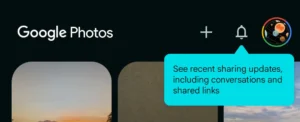
We’ve replaced the “Sharing” tab with a new Updates feed to keep you connected with your shared albums and conversations. Accessible via the bell icon, this feed organizes activity chronologically—showing updates from today, yesterday, this week, and beyond. Whether it’s new photos added to a shared album or group conversation updates, you’ll never miss a moment. Find your shared albums in the Collections tab under “Albums” for easy access. This feature is rolling out now on Android and iOS.
Streamlined Updates Feed
Gemini-Powered Ask Photos
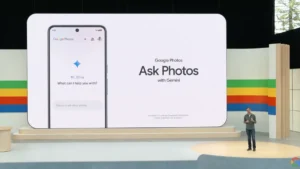
Our Ask Photos feature, powered by Gemini AI, is expanding to more users after a successful testing phase in September 2024. This conversational search tool lets you find photos with natural language queries like “me in a sparkly blue dress” or “my dog at the beach last summer.” Ask Photos is now more integrated into the app, with a toned-down UI for a smoother experience. Sign up for the waitlist in the Google Photos app to try it soon
Gemini-Powered Ask Photos
Free Up Space with Ease
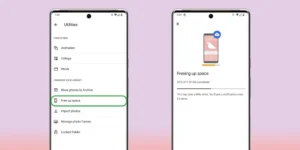
Running low on device storage? Our updated Free Up Space feature lets you remove backed-up photos and videos from your device while keeping them safe in Google Photos. Just tap your profile picture and select “Free up space on this device” to reclaim storage without losing access to your memories. This is especially handy with the 15GB free storage limit across Google Accounts. Need more space? Explore Google One plans for additional storage.
Free Up Space with Ease
Looking Ahead
As Google Photos enters its next decade, we’re committed to pushing the boundaries of AI to make your memories more accessible and enjoyable. These updates reflect our mission to be the ultimate home for your photos and videos, with enhanced privacy and user control at the core. Note that some features, like the redesigned editor, are available on Android 8+ and may vary by device, region, or account type.
Stay tuned for more innovations, and thank you for trusting Google Photos with your memories. Download the latest version of the Google Photos app on Android or iOS, or visit photos.google.com to explore these features today. Let’s keep capturing and sharing life’s moments!