Tag: AI tools

  • The Ultimate Guide to Using Perplexity AI for High-Quality Blogging

    The Ultimate Guide to Using Perplexity AI for High-Quality Blogging

    Perplexity AI is transforming the way content creators, researchers, and professionals approach information gathering and content production. Unlike traditional search engines that return a list of links, Perplexity delivers concise, well-cited answers in real-time, making it an invaluable tool for crafting high-quality blog posts. In this guide, we’ll explore what Perplexity AI is, its key features, how to leverage it for blog writing, its benefits, limitations, and best practices to maximize its potential.
     Perplexity AI
    Perplexity AI

    What is Perplexity AI?

    Perplexity AI is an advanced conversational search engine that uses artificial intelligence, powered by models like GPT-4 and Claude 3.5, to provide direct, accurate, and sourced answers to user queries. Launched in 2022, it combines the capabilities of a search engine with the conversational interface of a chatbot, allowing users to ask questions naturally and receive comprehensive responses. Perplexity stands out by summarizing information from credible sources, citing them clearly, and offering features like real-time web searches, file uploads, and specialized focus modes. It’s available on the web, as a mobile app (iOS and Android), and as a browser extension, making it accessible for various use cases.

    Key Features of Perplexity AI for Content Creation

    Perplexity offers a suite of features that make it a powerful tool for writing detailed, well-researched blog posts:

    1. Real-Time Answers with Citations: Perplexity searches the web in real-time and provides concise answers with clickable source citations, ensuring transparency and credibility. This is ideal for bloggers who need reliable facts quickly.
    2. Pro Search: This feature breaks down complex queries into smaller steps, pulling insights from a broader range of sources for in-depth responses. Free users get limited Pro Searches, while Pro subscribers enjoy near-unlimited access.
    3. Focus Modes: Perplexity allows users to narrow searches to specific domains, such as Academic, Writing, Math, Video, or Social, ensuring relevant results tailored to the task. For example, the Writing focus mode is optimized for content creation tasks like drafting and brainstorming.
    4. Perplexity Pages: A feature that transforms research into structured, visually appealing articles. Users can create drafts, customize tone, and add visuals, making it perfect for blog post creation.
    5. File Uploads: Upload up to three documents daily (PDFs, images, etc.) for Perplexity to summarize or analyze, streamlining research for academic or professional content.
    6. Deep Research: Launched in 2025, this mode conducts expert-level research in 2-4 minutes, synthesizing hundreds of sources into comprehensive reports, ideal for detailed blog topics.
    7. Collections and Spaces: Organize research into topic-specific threads or collaborative workspaces, making it easier to manage long-term content projects.

     Perplexity AI
    Perplexity AI

    These features make Perplexity a versatile tool for bloggers aiming to produce well-researched, SEO-optimized content efficiently.

    How to Write a Blog Post Using Perplexity AI: Step-by-Step Guide

    Here’s a step-by-step process to create a detailed, engaging blog post using Perplexity AI, optimized for both quality and search engine performance:

    Step 1: Define Your Topic and Audience

    Start by identifying your blog’s topic and target audience. Be specific to get the most relevant results. For example, instead of “artificial intelligence,” ask, “What are the latest trends in AI for content marketing in 2025?” This ensures Perplexity delivers focused insights. Specify your audience (e.g., beginners, professionals) to tailor the tone.

    Prompt Example: “Create an outline for a 1000-word blog post on ‘How to Use AI Tools for Content Marketing’ aimed at small business owners.”

    Step 2: Generate an Outline

    Use Perplexity’s Writing focus mode to create a structured outline. Ask it to suggest subtopics or key points to cover. This helps organize your thoughts and ensures comprehensive coverage of the topic.

    Prompt Example: “Suggest subtopics and a detailed outline for a blog post about AI tools for content marketing, including keyword strategies and case studies.”

    Perplexity will provide a logical structure, such as:

    • Introduction to AI in content marketing
    • Benefits of AI tools for small businesses
    • Top AI tools for content creation
    • How to integrate AI into your content strategy
    • Case studies of successful AI-driven campaigns
    • Conclusion and call-to-action

    Rearrange or expand sections as needed to fit your vision.

    Step 3: Research with Perplexity

    Use Perplexity’s real-time search and Deep Research mode (if available) to gather facts, statistics, and insights. Ask specific questions to extract relevant data, such as:

    Prompt Example: “Provide recent statistics on AI adoption in content marketing for 2025, with citations from reputable sources.”

    Perplexity will summarize findings from credible sources, saving you hours of manual research. Use the Academic focus mode for scholarly articles or the Web focus mode for broader insights.

    Step 4: Draft Content with Perplexity Pages

    Leverage Perplexity Pages to generate a draft. Input your topic, select your audience, and choose a tone (e.g., conversational, professional). Perplexity will create a well-structured draft with formatted sections and suggested visuals. You can prompt it to write individual sections with specific word counts.

    Perplexity AI
    Perplexity AI

    Prompt Example: “Write a 300-word section on the benefits of AI tools for content marketing, including examples and keywords like ‘automation’ and ‘SEO optimization.’”

    Edit the draft to align with your brand voice and add personal insights.

    Step 5: Optimize for SEO

    Perplexity can suggest keywords and meta descriptions to improve search rankings. Ask it to analyze top-ranking content for your topic and extract relevant keywords.

    Prompt Example: “Identify high-performing keywords for a blog post on AI content marketing tools and suggest a meta description.”

    Incorporate these keywords naturally into your content, headings, and meta tags to boost SEO without compromising readability.

    Step 6: Refine and Edit

    Review Perplexity’s output for accuracy, clarity, and flow. AI-generated content may lack emotional depth or brand-specific tone, so add personal anecdotes, metaphors, or unique perspectives. Fact-check citations to ensure credibility, as Perplexity may occasionally produce inaccuracies.

    Step 7: Publish and Promote

    Once polished, publish your blog on your platform of choice (e.g., WordPress, Medium). Use Perplexity to generate social media posts or email snippets to promote your content.

    Prompt Example: “Create a LinkedIn post to promote a blog about AI tools for content marketing, targeting small business owners.”

    Share your post across relevant channels to maximize reach.

    Benefits of Using Perplexity AI for Blog Writing

    Perplexity offers several advantages for content creators:

    • Time Efficiency: Reduces research and drafting time by summarizing sources and generating drafts in minutes.
    • Enhanced Research: Accesses real-time data and credible sources, ensuring factual accuracy.
    • SEO Optimization: Suggests keywords and meta descriptions to improve search rankings.
    • Versatility: Supports various content types, from blog posts to reports, with customizable tones and structures.
    • Inspiration: Overcomes writer’s block by providing outlines, subtopics, and content ideas.

    These benefits make Perplexity a game-changer for bloggers aiming to scale content production without sacrificing quality.

    Limitations of Perplexity AI

    While powerful, Perplexity has some limitations:

    • Occasional Inaccuracies: AI may produce errors or “hallucinations,” requiring human fact-checking.
    • Limited Creativity: Perplexity excels at factual content but may lack the emotional depth or originality of human writing.
    • Nuanced Topics: For complex or controversial topics, Perplexity may provide generic answers if consensus is lacking.
    • Dependence on Editing: AI-generated drafts need refinement to align with brand voice and audience expectations.

    Always combine Perplexity’s output with human oversight to ensure authenticity and accuracy.

    Best Practices for Using Perplexity AI in Blog Writing

    To get the most out of Perplexity, follow these tips:

    1. Use Specific Prompts: Provide clear, detailed prompts with context, word counts, and desired outcomes. Example: “Write a 500-word blog section on AI-driven content strategies for 2025, targeting marketers, with a conversational tone.”
    2. Leverage Focus Modes: Choose the appropriate focus mode (e.g., Writing, Academic) to tailor results to your needs.
    3. Iterate and Refine: Regenerate sections or ask follow-up questions to improve responses.
    4. Add Human Touch: Infuse your personality and expertise to make content unique and engaging.
    5. Fact-Check Sources: Verify citations to ensure accuracy, especially for critical topics.
    6. Use Deep Research for Complex Topics: For in-depth blogs, use Deep Research to synthesize comprehensive reports.
    7. Maintain Brand Voice: Edit AI output to align with your brand’s tone and style.
     Perplexity AI
    Perplexity AI

    Real-World Example: Crafting a Blog with Perplexity

    Let’s say you’re writing a blog on “Sustainable Fashion Trends in 2025.” Here’s how Perplexity can help:

    • Outline: Ask, “Create an outline for a blog on sustainable fashion trends in 2025, targeting eco-conscious consumers.” Perplexity provides subtopics like eco-friendly materials, circular fashion, and consumer preferences.
    • Research: Prompt, “Provide recent statistics on sustainable fashion adoption in 2025, with sources.” Perplexity delivers data from industry reports.
    • Draft: Use Perplexity Pages to generate a draft for each section, such as “Top Sustainable Fabrics for 2025.”
    • SEO: Ask, “Suggest keywords for a sustainable fashion blog.” Incorporate terms like “eco-friendly clothing” and “sustainable fashion trends.”
    • Polish: Add personal insights, such as your take on local sustainable brands, and fact-check data.
    • Promote: Generate a Twitter post: “Discover the top sustainable fashion trends for 2025!  Read our latest blog for eco-friendly tips and insights. #SustainableFashion #EcoFriendly”

    This process results in a well-researched, engaging blog ready for publication.

    Also Read This : Jewar Airport : Latest Updates on Noida International Airport (July 2025)

    Perplexity AI is a powerful ally for bloggers, offering tools to streamline research, generate drafts, and optimize content for SEO. By combining its real-time insights, focus modes, and Perplexity AI Pages with human creativity, you can produce detailed, high-quality blog posts efficiently. While it’s not perfect—requiring fact-checking and editing—its ability to save time and provide credible information makes it a must-have for content creators. Try Perplexity AI today at www.perplexity.ai and elevate your blogging game!

  • Best free AI tools for Ghibli-Style Art for Free with These AI Tools 2025

    Best free AI tools for Ghibli-Style Art for Free with These AI Tools 2025

    Best free AI tools for Ghibli-Style

    If you’re a fan of Studio Ghibli’s enchanting art style—think dreamy landscapes, whimsical characters, and soft, hand-painted textures—you’re in for a treat! Thanks to advancements in AI technology, you can now generate your own Ghibli-inspired artwork without spending a dime or needing any artistic skills.

    Whether you want to transform a photo into a scene straight out of Spirited Away or create a new character that looks like it belongs in My Neighbor Totoro, there are plenty of free AI tools to help you bring your imagination to life. In this blog, I’ll walk you through some of the best free AI tools to generate Studio Ghibli-style art, along with tips to get the most out of them. Let’s dive into the magic!

    Why Studio Ghibli Style?

    Studio Ghibli, the legendary Japanese animation studio founded by Hayao Miyazaki and Isao Takahata in 1985, is known for its breathtaking visuals and heartfelt storytelling. Films like Howl’s Moving Castle, Princess Mononoke, and The Boy and the Heron have captivated audiences with their lush, hand-drawn landscapes, vibrant colors, and expressive characters. The Ghibli style often features soft lighting, pastel palettes, and a seamless blend of the ordinary and the fantastical—perfect for creating nostalgic, magical art. With AI tools, you can now capture that same aesthetic, whether you’re reimagining a selfie, designing a wallpaper, or crafting a scene for your own story.

    Best free AI tools for Ghibli-Style
    Best free AI tools for Ghibli-Style

    Best free AI tools for Ghibli-Style Art

    Here’s a roundup of some of the best free AI tools that can help you create Studio Ghibli-inspired artwork. These tools are user-friendly, don’t require a subscription, and can deliver stunning results with just a few clicks.

    1. Deep Dream Generator

    Best free AI tools for Ghibli-Style Art for Free : Deep Dream Generator is a fantastic free platform for creating Ghibli-style art. It offers a variety of artistic styles, including options that mimic the hand-painted, watercolor-like effects of Studio Ghibli films. You can either upload a photo to transform or use a text prompt to generate a new scene from scratch.

    • How to Use: Sign up for a free account, upload your image or enter a prompt like “a serene Ghibli-style forest with glowing fireflies at dusk,” and select a Ghibli-like filter. Once the image is generated, you can enhance it using their AI Upscaler for better quality.
    • Why It’s Great: It’s intuitive and perfect for beginners. Plus, you can share your creations with the community using the hashtag #ghibli.
    • Limitations: The free tier has a daily generation limit, but it’s generous enough for casual use.

    2. Getimg.ai (Ghibli Diffusion)

    Best free AI tools for Ghibli-Style Art for Free : Getimg.ai offers a free tier that lets you generate up to 100 images per month, making it a solid choice for Ghibli fans. It features a specialized model called Ghibli Diffusion, which is fine-tuned to replicate Studio Ghibli’s soft color palettes, intricate details, and magical vibe.

    • How to Use: Sign up for a free account, select the Ghibli Diffusion model, and input a text prompt like “a young witch flying over a colorful Ghibli-style town at sunset.” You can also upload a photo and apply the Ghibli style using their Image to Image feature.
    • Why It’s Great: The Ghibli Diffusion model is specifically designed for this style, so the results feel authentic. It’s also great for creating wallpapers or profile pictures.
    • Limitations: The free plan has a cap on generations, but 100 images a month is plenty to experiment with.
    Best free AI tools for Ghibli-Style Art for Free
    Best free AI tools for Ghibli-Style Art for Free

    3. InsMind Ghibli Filter

    Best free AI tools for Ghibli-Style Art for Free : InsMind provides a free online Ghibli filter that’s perfect for transforming photos into Ghibli-style art. It’s quick, doesn’t require a login, and works well for landscapes, portraits, and even illustrations.

    • How to Use: Visit the InsMind website, upload your photo, select the “Ghibli” filter, and click “Generate.” In seconds, your image will be transformed with soft tones and a whimsical, storybook-like quality.
    • Why It’s Great: It’s incredibly fast and easy to use, with no account needed. The results are high-quality and perfect for social media content.
    • Limitations: The free version may have some restrictions on resolution or the number of transformations, but it’s still a great starting point.

    4. Craiyon

    Best free AI tools for Ghibli-Style Art for Free : Craiyon is a simple, browser-based AI tool that can generate Ghibli-inspired images using text prompts. While it’s not as advanced as some other tools, it’s completely free and doesn’t require a login.

    • How to Use: Go to the Craiyon website, enter a prompt like “a Ghibli-style girl with flowing hair under a cherry blossom tree,” and hit generate. You’ll get multiple variations to choose from.
    • Why It’s Great: It’s fast and accessible, making it ideal for quick experiments. The results have a whimsical, hand-drawn feel that aligns with Ghibli’s aesthetic.
    • Limitations: The output quality isn’t as high as premium tools, and the images can sometimes lack fine details.

    5. Bylo.ai Ghibli AI

    Best free AI tools for Ghibli-Style Art for Free : Bylo.ai offers a free Ghibli AI generator that lets you transform photos into Studio Ghibli-style artwork without any account or payment. It’s designed to capture the soft, painterly tones of Ghibli films like My Neighbor Totoro.

    • How to Use: Visit Bylo.ai, upload your photo, and let the AI apply the Ghibli filter. You can also use text prompts to create new scenes, such as “a peaceful Ghibli-style village at sunset.”
    • Why It’s Great: It’s completely free with no limits on usage, and the transformations have a nostalgic, hand-drawn quality that Ghibli fans will love.
    • Limitations: The tool focuses more on photo transformations than custom scene creation, so it’s best for stylizing existing images.
    Best free AI tools for Ghibli-Style Art for Free
    Best free AI tools for Ghibli-Style Art for Free

    Tips for Getting the Best Ghibli-Style Results

    To make your AI-generated Ghibli art truly shine, keep these tips in mind:

    • Be Specific with Prompts: The more detailed your prompt, the better the result. For example, instead of “a Ghibli-style scene,” try “a Ghibli-style meadow with a small wooden bridge, glowing fireflies, and a warm sunset with soft watercolor textures.”
    • Focus on Key Elements: Ghibli art often features lush greenery, dreamy lighting, and expressive characters. Include these in your prompts to capture the essence of the style.
    • Experiment with Photos: If you’re transforming a photo, choose one with clear lighting and simple backgrounds for the best results. Portraits, landscapes, and pet photos work particularly well.
    • Refine with Post-Processing: If the AI output isn’t perfect, you can use free tools like Krita or GIMP to add hand-painted textures or adjust colors for a more authentic Ghibli look.

    Ethical Considerations: A Note on AI and Art

    While AI tools make it easy to create Ghibli-style art, it’s worth noting that not everyone in the art community is on board with this trend. Hayao Miyazaki, Studio Ghibli’s co-founder, has famously criticized AI in animation, calling it “an insult to life itself” in a 2016 interview. He’s known for his dedication to hand-drawn animation, with some scenes in Ghibli films taking years to complete.

    Using AI to replicate this style can feel like a shortcut that overlooks the labor and passion of traditional artists. If you share your AI-generated art, consider giving a nod to the inspiration behind it and supporting Studio Ghibli by watching their films or buying official merchandise.

    Also Read This: How to Get Ghibli-Style AI Portraits for Free (Step-by-Step Guide!) 2025

    Unleash Your Inner Ghibli Artist

    Best free AI tools for Ghibli-Style : Creating Studio Ghibli-style art has never been easier, thanks to these free AI tools. Whether you’re using Deep Dream Generator to craft a magical forest, Getimg.ai to design a new character, or InsMind to transform a selfie, you can bring the whimsical charm of Ghibli into your own creations. These tools are perfect for fans, hobbyists, and creators looking to add a touch of magic to their projects—whether it’s a profile picture, a wallpaper, or concept art for your own story. So, what are you waiting for? Dive into the world of Studio Ghibli and let your imagination soar with these free AI generators. Share your creations with the world, and who knows—maybe you’ll inspire the next generation of Ghibli fans!

  • A Game Changer by Elon Musk : X Users Can Now Access Grok AI Chatbot for Free

    A Game Changer by Elon Musk : X Users Can Now Access Grok AI Chatbot for Free

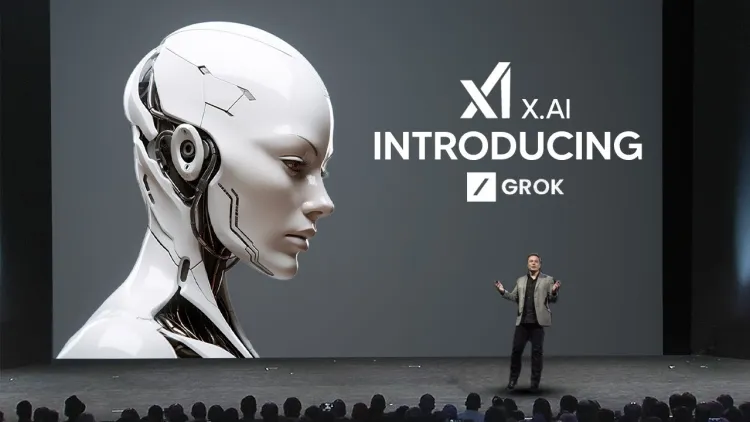
    Now, all X users can use Grok AI for free. If you’re a user of the microblogging platform X, here’s some great news for you. Elon Musk has gifted millions of X users a free chatbot. This update brings a significant change for X users, making the platform more user-friendly and technically capable than ever before.

    Elon Musk : X Users Can Now Use AI Chatbot for Free

    Since Elon Musk acquired the X social media platform, he has introduced several significant changes and continues to roll out new updates. If you use X, this is excellent news for you. Recently, X introduced support for the Grok AI chatbot, and now Musk has made it available for all users for free. This gives X users the opportunity to experience new AI technology that was previously available only to a select few premium subscribers.

    Grok AI was launched in 2023 and later integrated with the X platform. Initially, users had to subscribe to use this chatbot, but now you can use it completely for free. This move will help connect X users with a new experience of technical services and features. With Grok AI being free, it could pose a tough challenge to other AI chatbots like OpenAI’s ChatGPT, Google’s Gemini AI, and Claude AI.

    However, no official announcement has been made by X regarding this, but many users have reported that they are using Grok AI for free with X’s premium subscription. This AI chatbot will provide users with a smart and seamless conversation experience, offering quick and accurate answers to their questions.

    Elon Musk : Features of the Free Version of Grok AI

    If you’re using the free version of Grok AI, you may encounter some limits. According to reports, users can only send 10 messages every two hours and analyze up to 3 photos per day. These limits are in place to control the use of AI and avoid overwhelming the platform. Currently, Grok AI is built into the X platform, but it may be launched as a standalone app, similar to ChatGPT and Gemini AI, providing users with an even better experience.

    AI Tools : Elon Musk
    AI Tools : Elon Musk

    Elon Musk recently shared that Grok will soon be capable of processing documents like PDFs and Word files. This feature will make it much easier for users, as they will be able to summarize and analyze documents using AI. This will help streamline workflows, especially for those who deal with documents in their work lives.

    New Features on X

    Elon Musk is working on making X the perfect app, where users can do multiple tasks in one place. Recently, X introduced a new Radar Tool feature for users. With this tool, users can easily search for trending topics, breaking news, and other events. This new feature will help users stay updated with the latest trending content and keep them connected with what’s happening in real-time.

    New Features on X
    New Features on X

    However, this feature is currently only available to X’s premium members, but it is expected that it will be made available to all users in the future. Elon Musk aims to make X a platform that leads not just in the world of microblogging but also in all forms of social media interaction. These updates clearly show that X is evolving into not just a social networking platform but a comprehensive digital service app.

    Also Read This: Wearable tech: what is Wearable tech, its types, evolution, advantages and disadvantages.

    With the introduction of Grok AI’s free version, X users are now able to experience a new and improved AI chatbot service that can provide them with information and helpful suggestions for every kind of query. This move could prove to be a major shift, not only for X users but also in the world of social media and AI technology.